
Digital Tickets

Page Anchor
Introducing digital tickets
We’re delighted to share an exciting update to your Guthrie experience. To make ticket delivery more secure and convenient, we’ve partnered with True Tickets, a leader in digital ticketing. This enhancement allows you to access your tickets digitally — no paper, no hassle.
See below for information about accessing and sharing your tickets, plus answers to frequently asked questions. If you need assistance when you arrive, our staff will be happy to help!
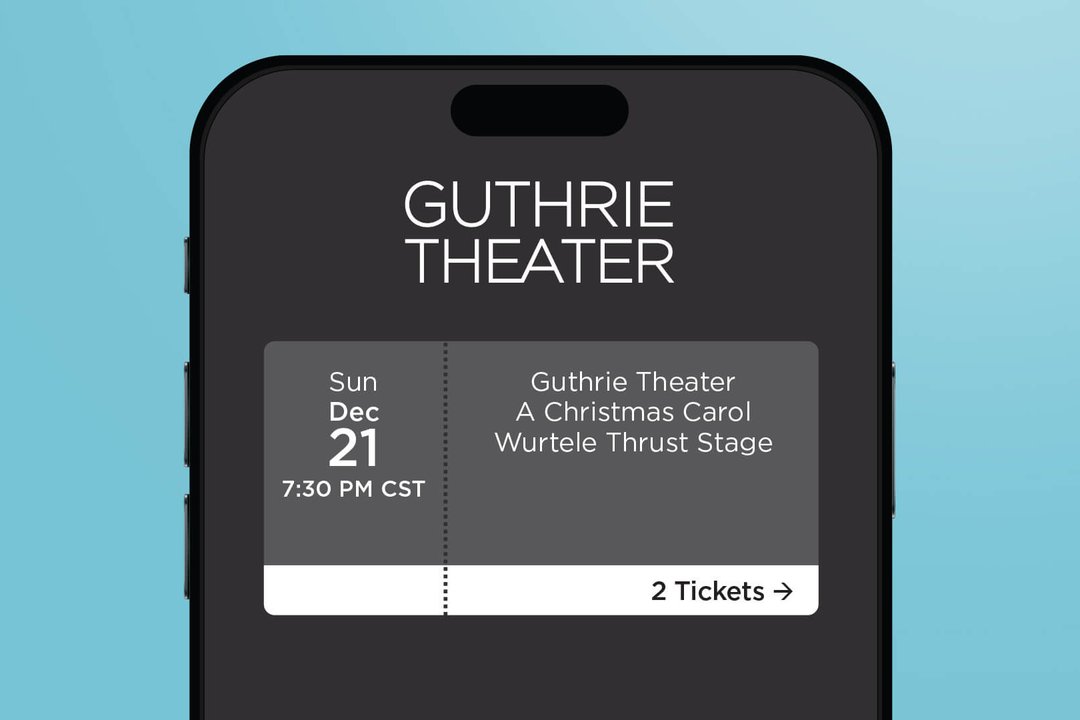
Step-by-step guide
- After purchasing tickets, you’ll receive a link to tickets.guthrietheater.org, accessible on any smart mobile device
- Log in using your Guthrie account credentials; no new password is required
- No app download needed; tickets may be saved to Apple Wallet (Google Wallet coming soon)
- Each ticket includes a QR code for quick scanning upon arrival
FAQ
About digital tickets
Digital ticketing is a convenient, secure service that delivers your tickets to your mobile device using rotating QR codes. The QR codes will activate four hours prior to your performance and refresh every 30 seconds.
Digital tickets are available now for single ticket purchases.
Guthrie subscribers who received printed tickets at the beginning of the 2025–2026 Season should continue to use their printed tickets through August 2026. Print-at-home tickets are also valid. Digital tickets will only be offered if season tickets are exchanged into a different performance.
Subscribers who renew their tickets for the 2026–2027 Season may opt-in to use digital tickets for the entire season.
No, an app is not needed to access your digital tickets.
- Go to tickets.guthrietheater.org.
- Enter the email address used when purchasing your Guthrie tickets and request an access code be sent to your email.
- Enter the access code and click “Stay Logged In” to stay logged in for 30 days.
- Once in your wallet, tap your event to see your ticket details.
Log in to your digital wallet using the same email address used to purchase your Guthrie tickets. You can request an emailed access code or use your password by clicking “Login Manually Instead.”
Go to tickets.guthrietheater.org and click “Forgot Password” to reset your password.
No. Each individual in a household should have their own login to access tickets in the account. If you’re unsure whether you already have a login, please do not create a new one. Instead, contact the Box Office to obtain your existing login information.
To help keep your tickets secure, printouts and screenshots are not accepted and cannot be scanned at the door. Once activated, the QR code on your digital tickets will update every 30 seconds and must be scanned directly from your mobile device.
As a safety measure, the QR code will not be visible on your tickets until four hours before your performance start time. The QR code for your digital tickets will automatically appear in your digital wallet at that time.
Accessing your digital tickets requires a smart mobile device, so you will need to visit the Box Office before the performance to have your tickets printed.
Yes, you may add your digital tickets to Apple Wallet and Google Wallet.
Sharing your tickets
- Go to tickets.guthrietheater.org.
- Enter the email address used when purchasing and request an access code be sent to your email.
- Enter the access code and click “Stay Logged In” to stay logged in for 30 days.
- Select the performance you will be attending.
- Click “Share Tickets.”
- Enter the full name of the person with whom you are sharing the digital tickets.
- Select the tickets you’d like to share.
- Confirm your selection.
- Share the link via text or email with the person receiving your digital tickets.
- To accept the digital tickets, the recipient must log in or create an account if they don’t already have one.
NOTE: You do not need to share digital tickets with yourself. Just log in to your account on your mobile device to display your tickets.
The ticket sharing button will become available four hours before the performance.
You may share tickets with guests attending the performance, but you must keep one ticket for yourself.
Yes, ticket recipients must log in to claim the tickets you share with them. If they already have an account with the Guthrie, they may use the same email address associated with their account to log in. If they do not have a Guthrie account, they must create one to accept the digital tickets.
Ticket recipients unsure if they have a ticketing account with the Guthrie should click “Register for a New Account.” If their email already exists, the system will let them know. If it does not, the system will prompt them to create an account.
- Click the link shared with you.
- Log in using the email address associated with your Guthrie account or create a new account if you don’t have one.
- Accept the tickets.
Shared digital tickets are not valid until the recipient claims them. You may also reclaim your tickets if the recipient changes their mind or does not accept them.
Once you share your digital tickets, you will see one of the two following status notifications: Ticket Accepted by [Recipient’s Name] or Ticket Shared With [Recipient’s Name] Pending.
If the ticket status is pending, the recipient has not yet accepted the digital tickets. You may want to remind them to check their email or text messages for the ticket invite link. You may also click “Share the Invite Again” to reshare the digital tickets or “Get This Ticket Back” to reclaim the tickets.
Yes. Once you see the “Share Tickets” button in your wallet, you may share the tickets, even if the QR codes have not yet been sent.
Yes. Copy the link into an email and send to the recipient. The link will redirect them to a landing page where they can claim the digital tickets.